IBM TM1 Financial Analysis & Planning
A walkthrough of how a typical IBM TM1 engagement runs end-to-end. Clients send through an annex of requested changes or bug reports, and the work involves translating those into TI processes inside TM1, validating the affected cube data, and updating any Excel templates that the client uses to upload data into - or pull data out of - the model.
Engagement Workflow
- Receive the client annex. Client sends an instruction sheet listing the changes, enhancements, or bugs to address - usually referencing specific templates, tabs, accounts, and cubes by name.
- Build / update TM1 processes. Implement the requested logic inside TM1 using TurboIntegrator (TI) processes - creating new dimension elements, updating rules, and writing back to the affected cubes.
- Validate against cube data. Open the affected cube views in IBM Planning Analytics, run the process, and inspect the resulting values against the spec to confirm the data lands correctly.
- Update the linked Excel templates. Adjust the client's Excel templates - the upload sheets and viewing sheets that connect to TM1 via Planning Analytics for Excel - so the new fields, columns, or sections are reflected.
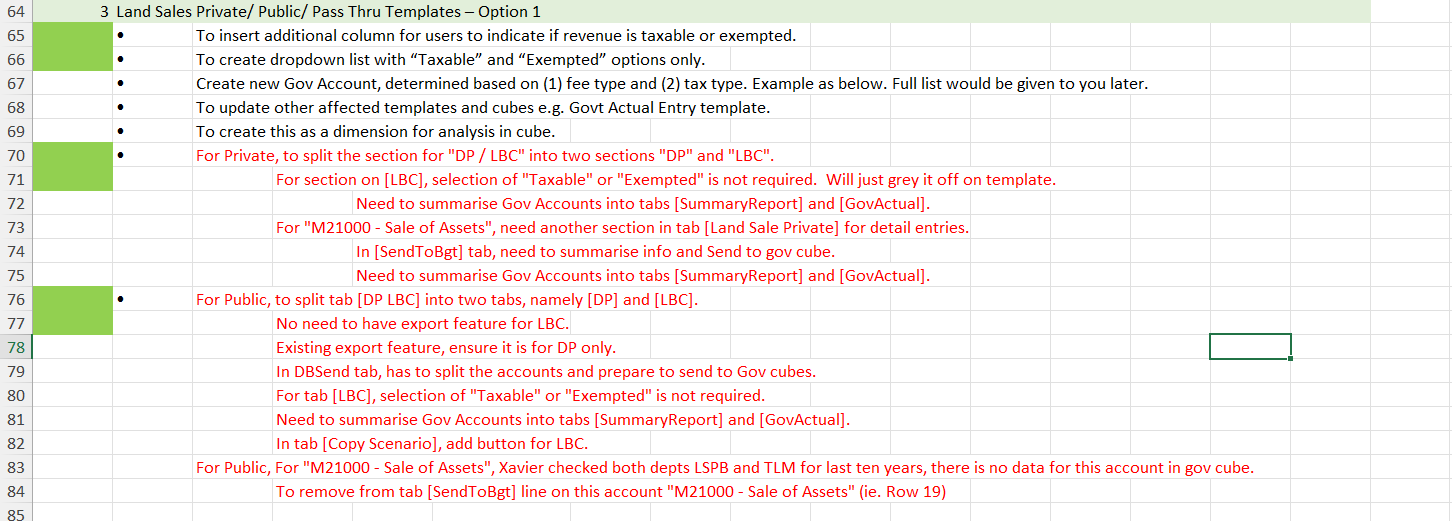
1. Client Annex / Instructions
Each engagement starts with an annex from the client. It lists the requested changes line by line, flags any open questions in red, and references the templates, tabs, and accounts that need to be updated. The annex is the source of truth for the scope of work.
2. Building TM1 Processes
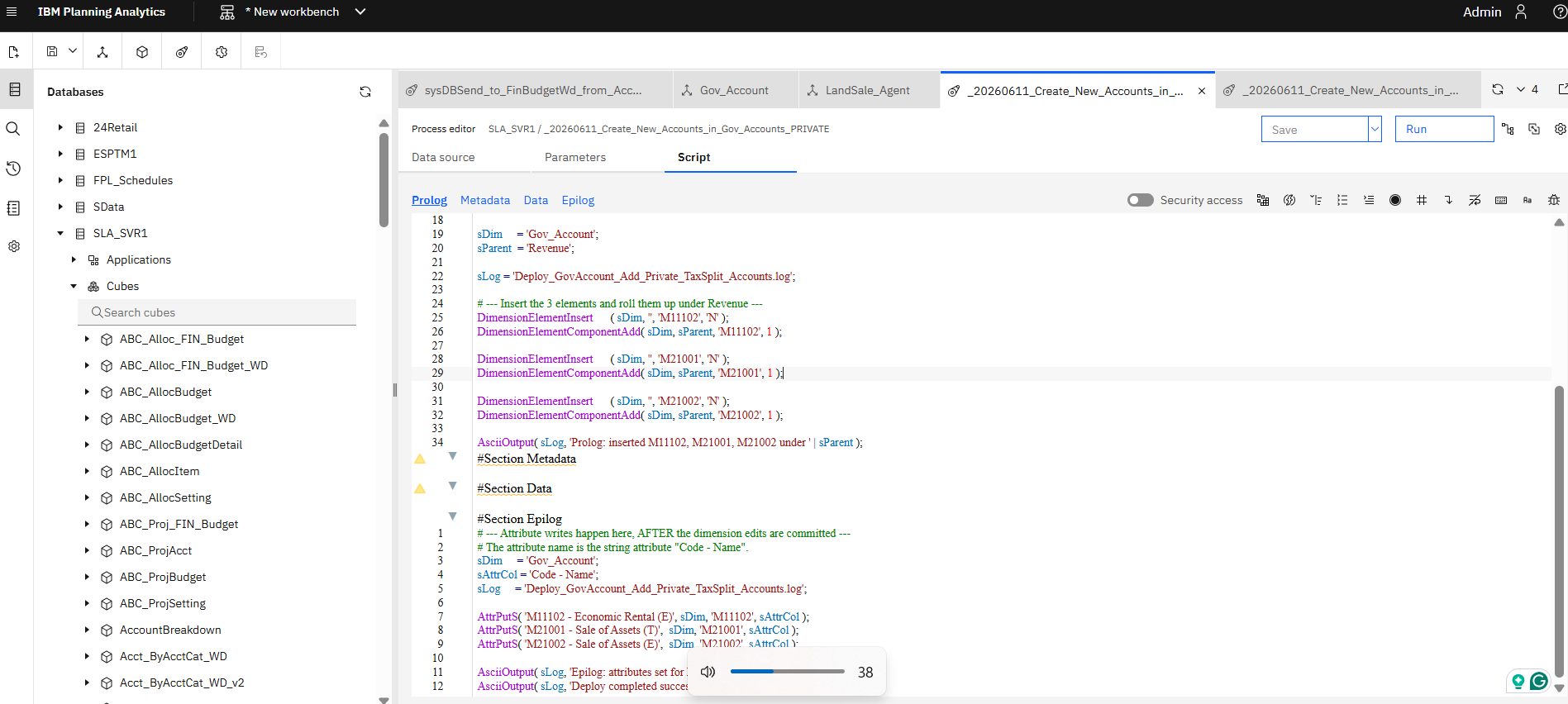
The annex items are translated into TurboIntegrator (TI) processes inside TM1. Each process handles a specific change - creating new accounts, copying data between cubes, restructuring dimensions, or writing derived values back into a target cube.
3. Validating Cube Data
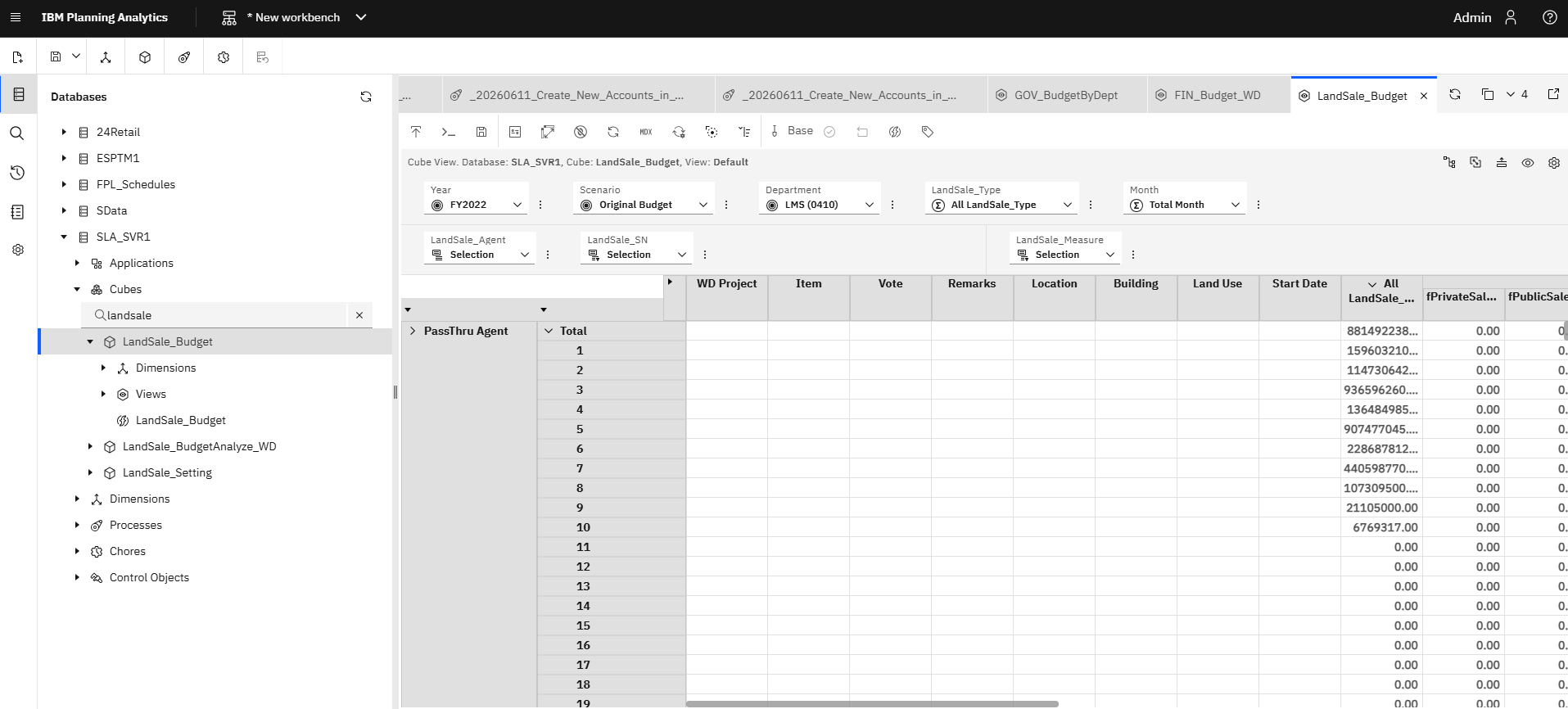
After running the process, the affected cube view is opened in IBM Planning Analytics and the data is checked against the annex spec - confirming the new dimension elements appear, the calculated values are correct, and nothing unrelated has been broken in the process.
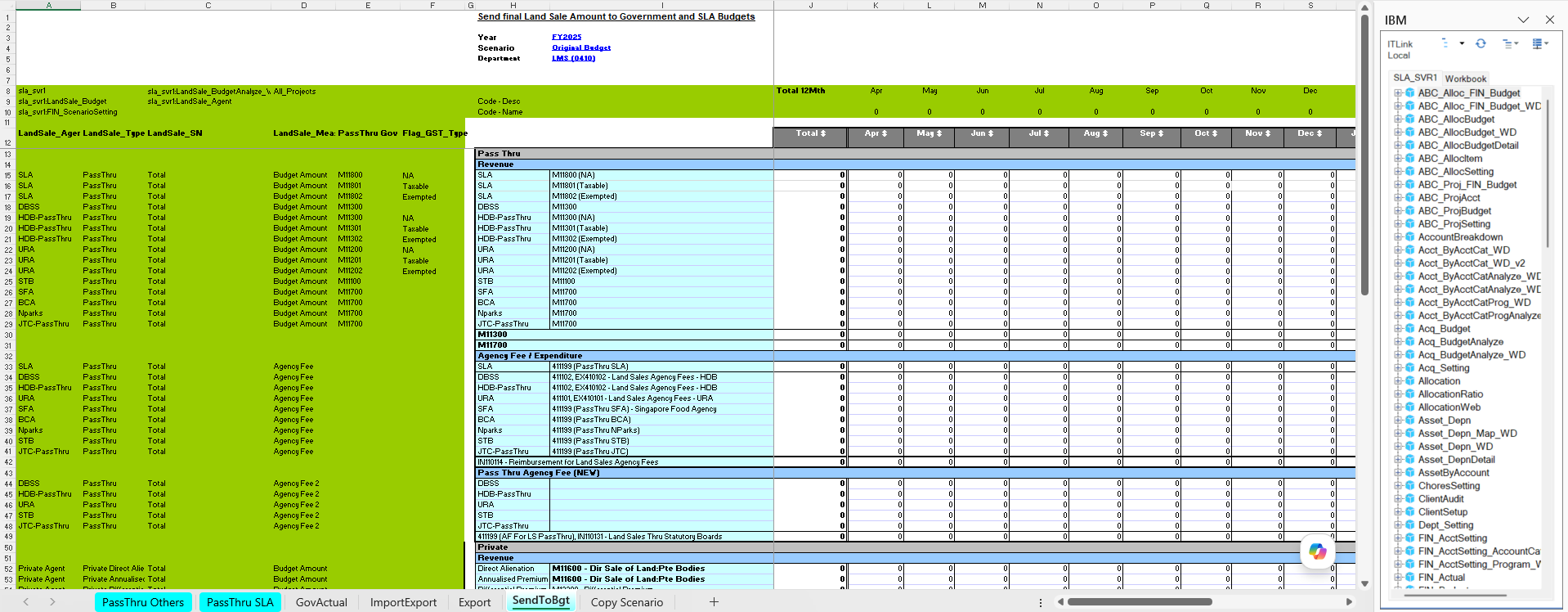
4. Updating the Excel Templates
Most clients also interact with TM1 through Excel templates - upload sheets where end users enter budget data and viewing sheets that pull cube values back out. When the underlying model changes, the templates need matching updates so the data flows in both directions stay consistent. These can either be full DBRW (Database Retrieve Wide Area Network) formula changes, VBA/PAfe (IBM Planning Analytics for Excel) action button process changes, or simple visual column/row updates.