Real Estate Power BI Project
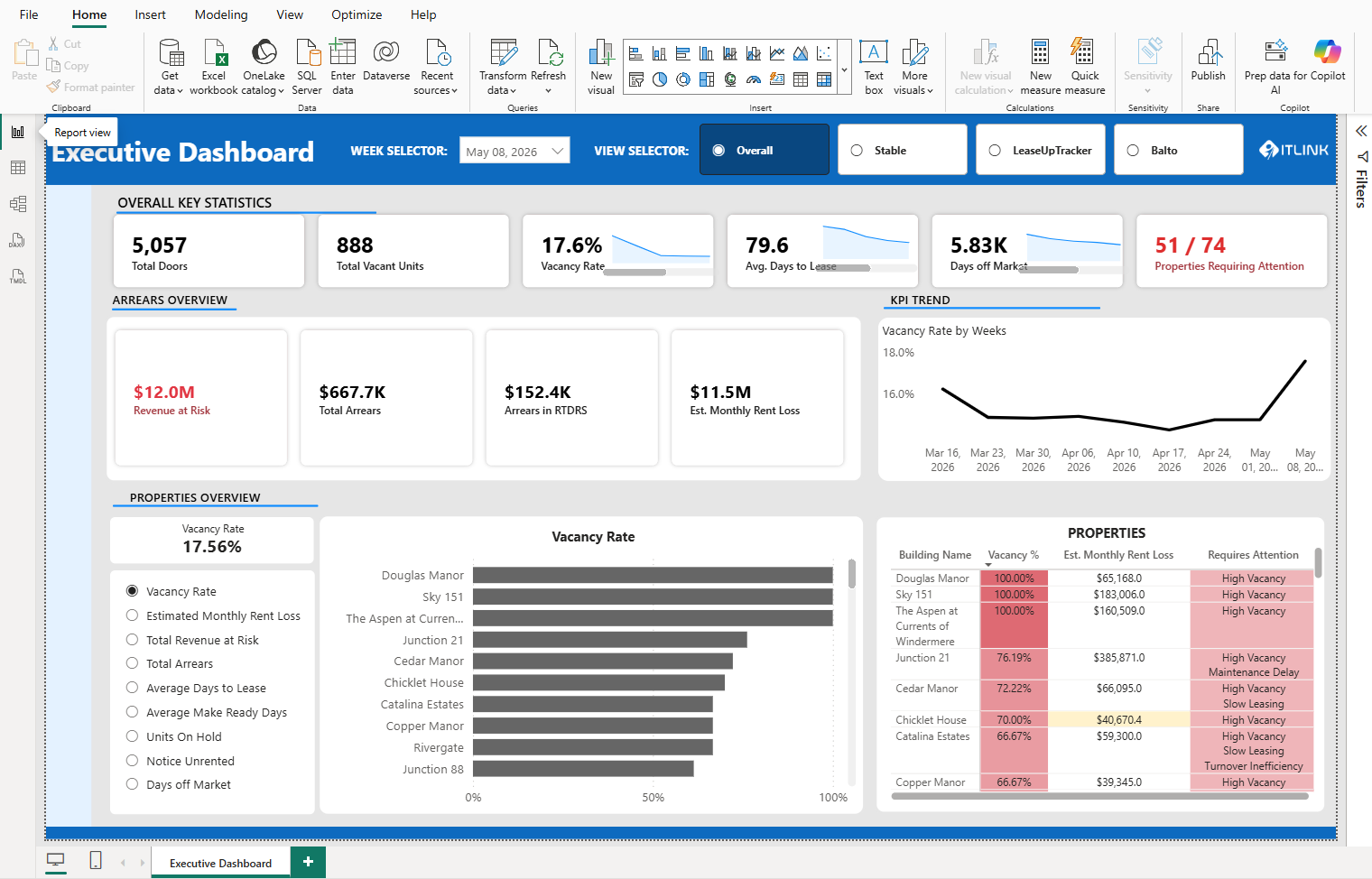
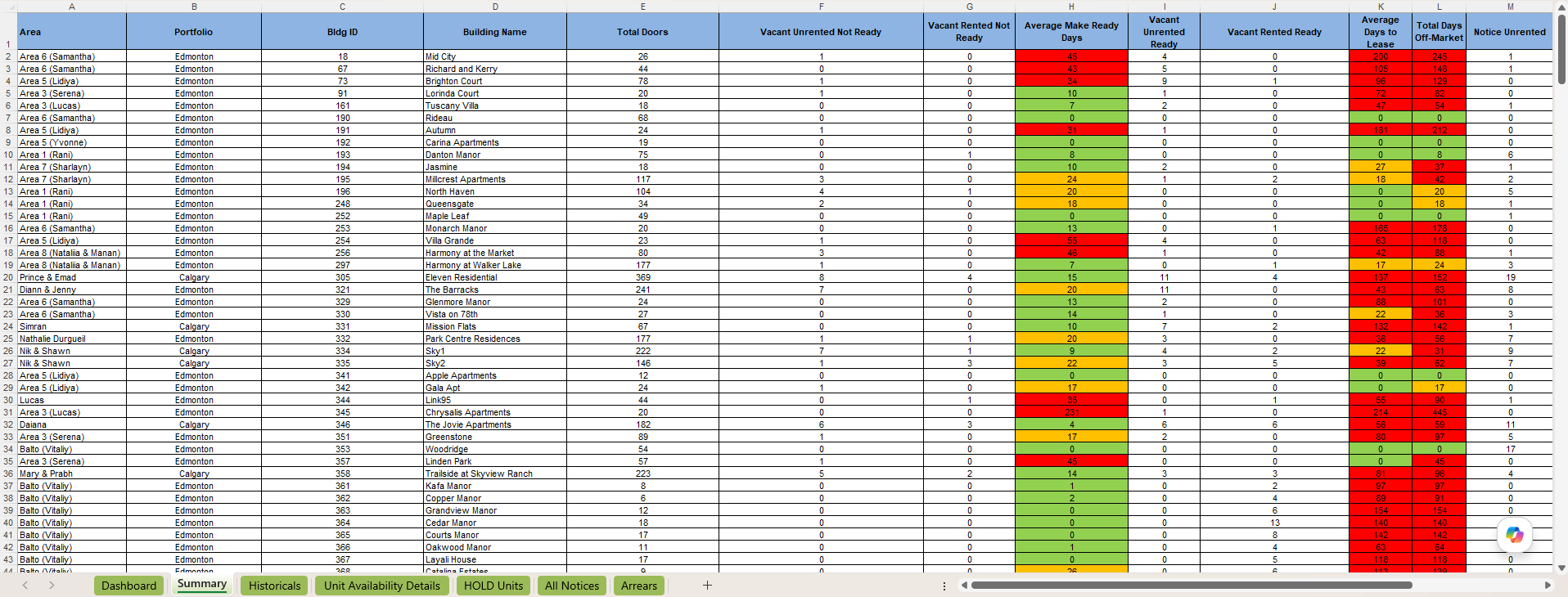
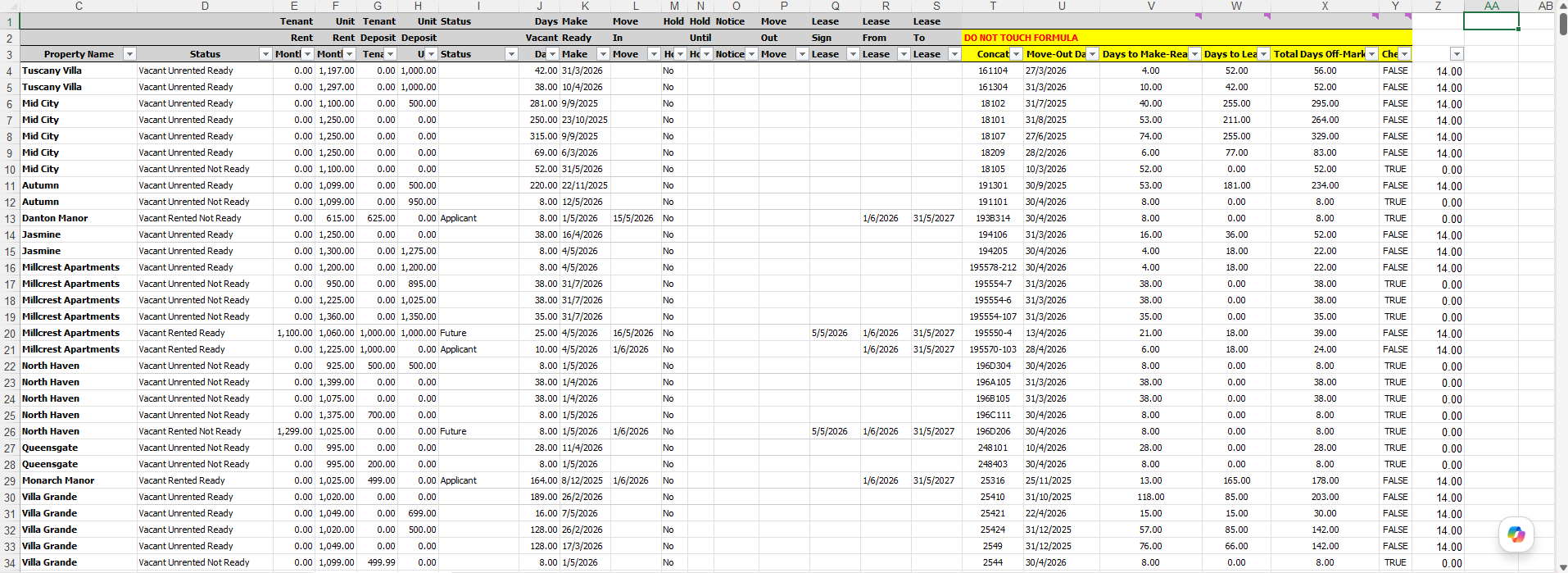
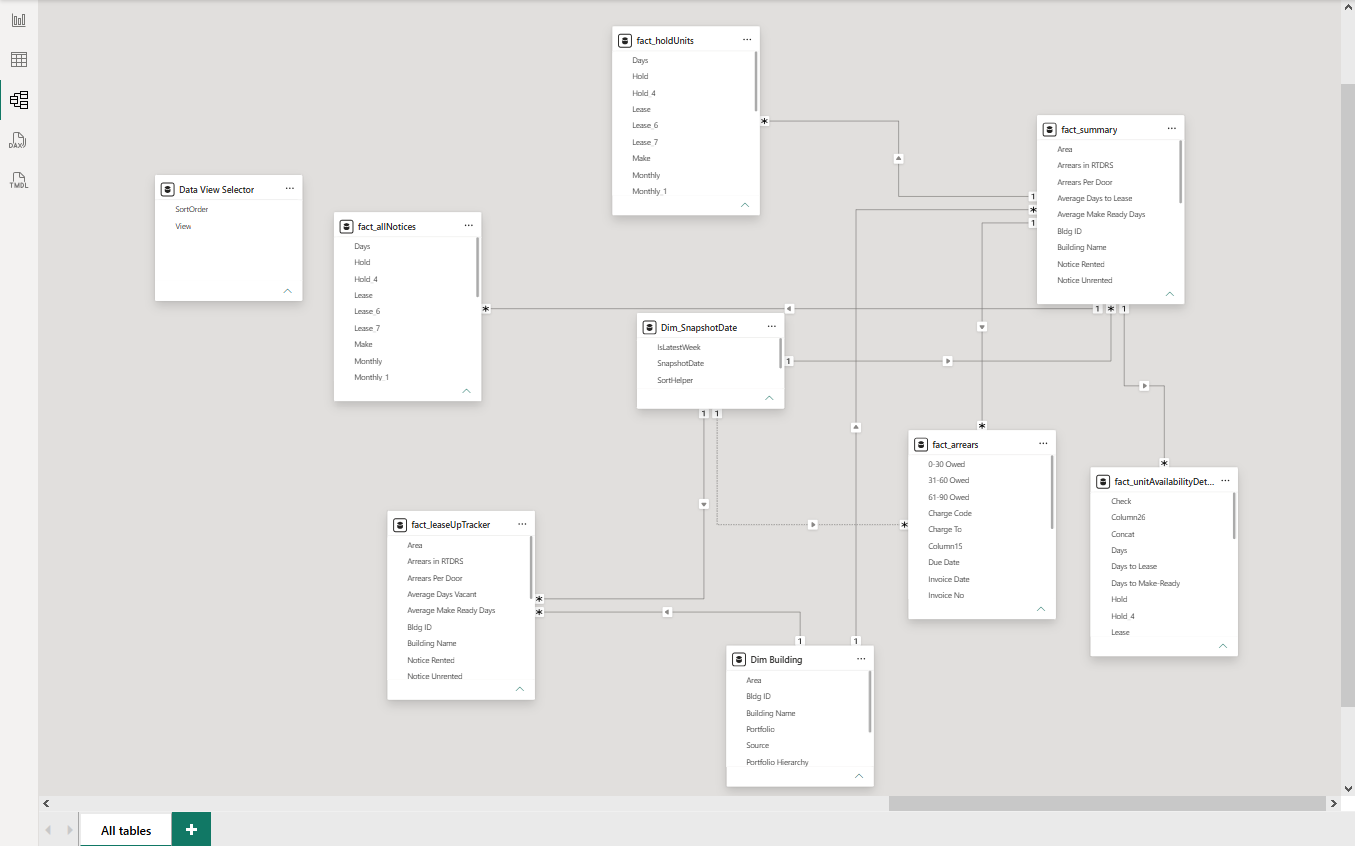
Power BI dashboard project for weekly real estate KPI reporting. The workflow connects a SharePoint folder of dated Excel snapshots to a PBIP data model, then refreshes dashboard views for vacancy, arrears, leasing speed, and property-level attention flags.
Weekly Maintenance Workflow
-
Receive and rename the KPI file.
Rename the weekly Excel file from the real estate client using the
KPI_YYYY-MM-DD.xlsxconvention. - Upload the raw snapshot. Place the workbook in the SharePoint Raw Data Files folder.
-
Refresh the PBIP project.
Open the PBIP project in Power BI Desktop and refresh the data model. The
fnGetAllFilesfunction automatically detects the new file, parses the snapshot date from the filename, and loads all six fact tables. - Spot-check the refreshed data. Verify the new snapshot appears in the week selector slicer, confirm property counts and key KPI cards look reasonable against the source file, and check for ingestion errors.
- Review source-file structure. Check for new or removed buildings, area reassignments, sheet additions/removals, or column layout shifts. Determine whether any Power Query or DAX adjustments are needed. Most weeks, none are.
- Apply model changes when required. If the source file structure changed, update the model logic for items such as new area names, separator row shifts, or column additions. Test after each change.
- Generate the changelog. Document what was added, any structural changes observed, and KPI movement from the previous snapshot.
- Save and commit the PBIP files. Commit the refreshed project files once the data, visuals, and changelog have been reviewed.